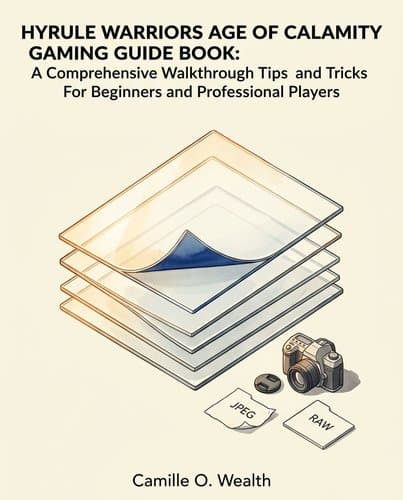
57814471_hyrule-warriors-age-of-calamity-gaming-guide-book
by Camille O. Wealth
One careless merge or JPEG save permanently destroys work you cannot recover. Master Photoshop's non-destructive workflow—Smart Objects, intact layer stacks…
In Brief
HYRULE WARRIORS AGE OF CALAMITY GAMING GUIDE BOOK: A Comprehensive Walkthrough Tips and Tricks For Beginners and Professional Players (2020) is, despite its title, a Photoshop beginner's manual built around one core discipline: non-destructive editing.
Key Ideas
Duplicate original before starting edits
Always duplicate the original image before editing. Work only on the copy. This is the non-negotiable first step in every Photoshop workflow — stated in capitals in the book.
Never merge layers prematurely
Never merge layers unless you are permanently finished with them. Merged layers cannot be worked on individually again. There is no undo for a merge you committed to.
RAW format preserves all image data
Shoot in RAW format, not JPEG. JPEG permanently destroys image data at the moment of capture — including detail you did not know existed and cannot recover after the fact.
Top layer only remains editable
The topmost layer in the Layers panel is the only active, editable layer. To edit a lower layer in a stack, you must remove the layers above it first. Plan your stack order before you begin.
Smart Objects preserve transformation originals
Use Smart Object layers for any image you plan to transform. Transformations applied to a Smart Object do not alter the underlying pixels — the original remains intact inside the container.
Adjustment layers enable non-destructive color work
Use Adjustment layers for color and tonal corrections. They float above the pixels, can be toggled on and off, and can be copied to other images without touching the layers beneath them.
Distinguish fill opacity from layer opacity
Fill opacity and Layer opacity are different controls. Fill changes the transparency of the fill content only. Opacity changes the selected area only and leaves unselected areas untouched. Confusing them produces unexpected results.
Always backup original before editing
Save a backup copy of the original before every editing session. This is the golden rule the book repeats across multiple chapters — and the one practice that makes every other step in the book optional rather than critical.
Who Should Read This
Readers interested in Skill Acquisition and Creative Thinking, looking for practical insights they can apply to their own lives.
HYRULE WARRIORS AGE OF CALAMITY GAMING GUIDE BOOK: A Comprehensive Walkthrough Tips and Tricks For Beginners and Professional Players
By Camille O. Wealth
7 min read
Why does it matter? Because the software that promises to transform any photograph can also destroy it permanently — in a single click.
"Adobe Photoshop is like a world of magic." That is the book's first sentence. Then the lists begin — numbered steps, comparison tables, step sequences that run the length of the book without once explaining why any step must come before the next. But hidden inside all that enumeration are rules the book never states. They govern entire categories of work. Break any one of them and the damage is permanent. Photoshop gives no warnings. This guide gives you the rules first.
The Interface Is Not a Menu to Click Through — It Is a Prerequisite You Must Learn First
Think of a professional kitchen. Every station has a fixed location — prep here, heat there, plating at the end. A cook who wanders looking for the knife block wastes every shift. Photoshop works the same way. The interface has ten named zones, each controlling a different dimension of what you can do. You do not discover them by clicking around. You learn them before you start.
Two zones catch newcomers off guard. The Options Bar, the strip above the canvas, changes its contents based on the active tool: Crop shows crop settings, Brush shows brush settings, and the same workspace looks different depending on what you have selected. Workspace modes work similarly: Essentials, Photography, and Graphic/Web each show a different set of panels, so switching modes can make a tool you need simply vanish.
Fixed geography, not ten interchangeable buttons. The Menu Bar alone has eleven top-level categories, each hiding dozens of commands. Open Edit when you need Layer, or Filter when you want Image, and you lose that time on every session, compounded across every project.
The interface is the foundation. Learn where each zone sits and what it controls before you touch a single image. The ten zones do not reward exploration — they reward orientation. Know the map, and the next question follows: what are these zones built to protect?
Every Feature in Photoshop Exists to Answer the Same Fear: What If I Cannot Undo This?
Every major feature in Photoshop — layers, Smart Objects, adjustment layers — serves the same purpose: you can always recover what you started with.
The book's most emphatic instruction appears in the section on duplicating layers. It is the only instruction written in capital letters: "It is a MUST for you to duplicate the original image of any work before you start working on it." The emphasis is not stylistic. Before you retouch, before you apply a filter, before you adjust a single color value — you copy the original and work on the copy. The original stays untouched.
The mandate shapes every layer type the book describes. Layers work like stacked transparent sheets: pixel changes on one sheet stay contained there, with no effect on what lies beneath. Smart Objects extend this: any transformation is held in the layer itself, leaving the pixels inside unchanged. Scale it, distort it, rotate it, and the source image inside remains exactly as it was. Adjustment layers do the same for color and tone: they float above the image and apply corrections, leaving what lies beneath intact. Toggle one off and the unedited image returns. Copy the adjustment and paste it onto an entirely different image. Every change stays provisional.
The moment protection disappears, the book responds with a warning. "Merge layers cannot be worked on individually again." No workaround follows. No recovery path is offered. When layers merge, their independence is gone.
Layers Give You a Safety Net — But Only If You Planned Your Stack Before You Started
Layers feel like total freedom — but one structural constraint changes everything. Stack five images, adjust each independently, change the order whenever you want: that's the premise. The topmost layer is the only layer you can actively edit. To reach any layer beneath it, you must remove every layer above it first. The third layer in a stack of five? Layers one and two come out first. This is not a workaround. It is how the system works.
That single rule changes layers from an editing tool into a planning tool. The order of the stack matters before you touch anything. Place a correction above a shape layer when it needed to sit below, and you've built a mistake into the structure. Fixing it means pulling layers out, editing, and restoring what you removed. Planning at the start avoids all of it.
The five layer types become a decision, not just a vocabulary list. Adjustment layers and Smart Objects keep options open only when placed correctly relative to what they need to affect. Stack them in the wrong position, and their reversibility does not help you; the layer above is in the way.
The topmost-layer rule is the constraint the book never resolves. It presents the safety net and the limitation in the same breath, without offering a shortcut. The mandate to duplicate before editing (stated elsewhere in capitals) exists partly because of this: if you place a color correction above the background layer when it needed to sit below, you pull the whole stack apart to fix it.
The freedom layers offer is real. But it is the freedom you design in advance, not the freedom to change your mind after the stack has grown.
JPEG Is Not a Storage Format — It Is a Decision to Permanently Destroy Data You Cannot See
The moment you press the shutter on a JPEG, data disappears. Not corrupted, not misplaced — gone, permanently, before you ever see the file. The camera's processor makes decisions automatically: compress the image, fix the pixels, discard whatever it determines is redundant. You receive a photograph, complete and apparently whole, with no record of what was removed.
The chapter's Camera Raw walkthrough shows what RAW makes possible: modify pixels after capture, recover shadow detail, hold every decision open until you're ready to commit. Then the final instruction tells you to save as JPEG. All of it, quietly surrendered at export. The processed decisions become fixed, and the next person to open that file gets compressed, permanently processed pixels with nothing recoverable beneath.
The JPEG vs. RAW comparison puts this plainly: the format hides what it has removed. You get a complete-looking image with no way to know what the compression discarded. There is no record of whether a face in shadow held recoverable detail, whether the sky at the frame's edge held texture the compression quietly erased. The JPEG presents the result as if the result is everything.
RAW works differently at the point of capture. Nothing is processed. Nothing is compressed. Every value the sensor recorded is preserved exactly as the sensor saw it — shadow detail, texture in the highlights, tonal information the eye might not catch in a single glance. Those details stay modifiable. The user decides later what to do with them. RAW delays the commitment JPEG makes instantly at capture.
The same principle runs through every other feature in the book. The duplicate-before-editing rule (stated in capitals) exists because merged layers cannot be recovered. Smart Objects hold transformations without touching source pixels for the same reason. RAW preserves sensor data at capture for the same reason: the original stays intact and the options stay open. JPEG closes those options before the image ever reaches Photoshop.
Every format choice is also a choice about which future decisions remain available. RAW keeps them open. JPEG forecloses them at capture, before you know what you had.
The Steps Do Not Explain Themselves — But Each One Is Blocking a Permanent Mistake
A surgical scrub protocol does not explain germ theory. It says: scrub each finger for ten seconds, work toward the elbow, never drop your hands below waist level. The surgeon who follows every step prevents the infection. The surgeon who skips step twelve because it looks redundant causes the infection.
The book that contains these Photoshop instructions opens with a promise: "Adobe Photoshop is like a world of magic." The introduction adds that anyone can earn money with Photoshop even without professional training, and that seven chapters of numbered steps will get them there "without any hassle." Then every chapter delivers exactly what it promised: sequences with no rationale, no explanation of consequences, no theory. Step 1. Step 2. Click. Ok.
That absence is the protection, not the flaw.
A beginner who reads none of the rationale and simply executes each numbered sequence never merges without a backup in place, never edits an original, never loses data they did not know existed. The steps carry the protection whether or not the user understands why. Take the instruction that opens every modification workflow: duplicate the layer before touching anything. To someone removing a blemish, it reads as unnecessary prep. What it does is preserve the original pixels at the one moment they are most at risk, before any tool has touched them. Follow it without understanding it, and you always have something to go back to. Skip it once because it seems redundant, and you may not.
The introduction's promise holds. Photoshop can transform work, and non-professionals can use it to earn money. The path runs through forty-five steps for smoothing skin and seven steps for accessing Camera Raw, all without explanation. Magic, it turns out, looks like a checklist followed in order — and the checklist does not owe you a reason.
The Rule the Book Never States Out Loud
The author never states the rule directly, but every chapter enforces it. Before you edit, duplicate. Before you transform, use a Smart Object. Before you commit to JPEG, understand what you are surrendering — detail that existed in the shadows, texture the compression will erase without telling you, data you will never know was there. Merged layers cannot be recovered. A JPEG saved is a decision made permanent. They are the two ways the work disappears. Everything else in the book — the numbered steps, the layer types, the Camera Raw workflow — exists to keep you on the right side of those two lines. Save the original first. Keep it reachable. Every other mistake you can fix. That one, you cannot.
Frequently Asked Questions
- What is the Hyrule Warriors Age of Calamity Gaming Guide Book actually about?
- Despite its misleading title suggesting it's a video game guide, the Hyrule Warriors Age of Calamity Gaming Guide Book is actually a Photoshop beginner's manual focused on non-destructive editing. The book teaches essential techniques—duplicating originals, using Smart Objects and Adjustment layers, and shooting in RAW format—that keep source files intact and make every edit fully reversible. Designed for both beginners and professional players, the guide walks through how to structure Photoshop workflows so you never permanently lose work and can always return to your original image data.
- What are the key takeaways from the Hyrule Warriors Age of Calamity Gaming Guide Book?
- The guide's core takeaways center on non-destructive editing practices. Always duplicate the original image and work only on the copy—the non-negotiable first step. Never merge layers unless permanently finished, as this destroys individual layer editability. Shoot in RAW format, not JPEG, because JPEG permanently destroys image data. Use Smart Objects for transformations to preserve originals inside containers, and Adjustment layers for color corrections that float above pixels. Finally, save a backup copy before every editing session—the golden rule the book emphasizes repeatedly. These practices ensure work remains fully reversible.
- Why does the guide emphasize shooting in RAW format instead of JPEG?
- RAW format preserves all captured image data, while JPEG permanently destroys image data at the moment of capture — including detail you did not know existed and cannot recover after the fact. The guide stresses this distinction because it's fundamental to non-destructive editing—if you start with compromised data, no Photoshop technique can recover what was lost during capture. By shooting in RAW, you maximize flexibility for later editing with Adjustment layers, Smart Objects, and other non-destructive techniques. This ensures maximum editorial control and the ability to revisit and modify decisions without data loss.
- What is the difference between Fill opacity and Layer opacity in Photoshop?
- Fill opacity and Layer opacity are different controls that produce distinct results. Fill opacity changes the transparency of the fill content only, while Layer opacity changes the selected area only and leaves unselected areas untouched. The guide emphasizes that confusing these two controls produces unexpected results in your edits. Understanding this distinction is essential for non-destructive editing, particularly when working with Adjustment layers and Smart Objects. Proper application of opacity controls helps maintain the flexibility and reversibility that non-destructive workflows demand, ensuring your edits remain fully controllable.
Related Book Summaries

Read the full summary of 57814471_hyrule-warriors-age-of-calamity-gaming-guide-book on InShort